
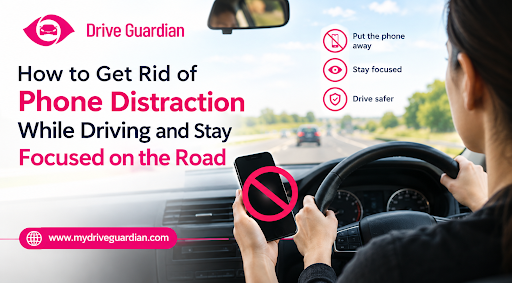
The simplest way to get rid of phone distractions while driving is to decide before your trip that your phone can wait until you arrive. Silence notifications, set your navigation, and keep your device out of reach so you aren’t tempted to check it every time the screen lights up.
Most drivers know texting behind the wheel is dangerous. The difficult part is eliminating the tiny habits: reading a message at a red light, looking at a notification in traffic, or picking up the phone because a journey feels familiar. These moments may seem harmless enough, yet they take focus away from what is happening on the road.
Learning how to get rid of phone distractions isn’t about having perfect self-control. It’s about making a few changes that help you drive without constantly thinking about your phone.
Key Takeaways
- Put your phone away. It’s easier to check alerts when you’re driving if your phone is in your hand.
- Set up your navigation, music and driving settings before you go so you don’t have to keep stopping to modify settings.
- Driving Focus or Do Not Disturb might help reduce calls and notifications that may distract you.
- Don’t succumb to checking texts during traffic lights, where changing road conditions still demand your attention.
- Plan pull-over spots for calls or texts that can’t wait till you get there.
- Parents should model safer practices by adopting the same guidelines for phone-free driving they want their teenagers to follow.
- Driving safety technology can support family awareness, but it does not replace attentive driving or phone-free habits.
Why Do Phones Distract Drivers So Easily?
Your phone can distract you even when it’s silent. Sometimes, it’s the possibility of a message that gets your attention. You may wonder who has replied, whether a work update has arrived, or if you should quickly check a notification before it disappears.
Familiar trips make the temptation stronger. If you travel the same route every day, you could believe that you know it well enough to look down at your screen. But other vehicles may brake suddenly, people may step into the road, and traffic conditions may change without warning.
Texting while driving distracts you in three ways: visually, manually, and mentally, says the National Highway Traffic Safety Administration (NHTSA). You take your eyes off the road, your hands away from driving, and your attention away from what is happening around you. NHTSA also notes that reading or sending a text takes about five seconds, which can mean travelling the length of a football field at 55 mph without looking at the road.
That’s why the best phone-free driving tips focus on prevention. If you silence notifications and put your phone away before leaving, you can prevent distracted driving without having to resist every alert once you’re on the road.
7 Practical Ways to Prevent Phone Distraction While Driving
1. Put the Phone Away Before You Start Driving
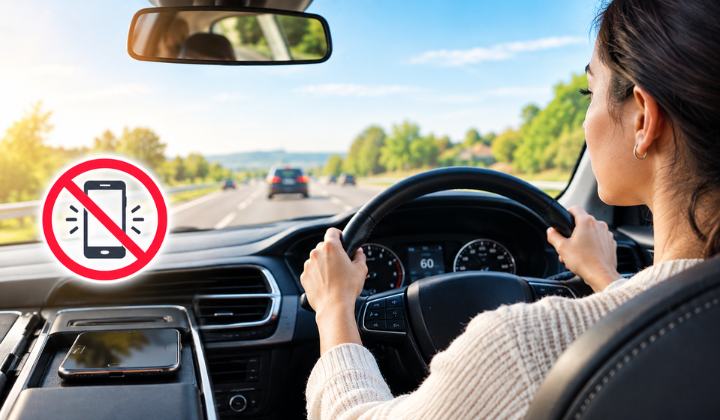
If your phone is sitting next to the gear selector or on the passenger seat, it hardly takes any effort to pick it up. Keeping it in a bag, glove compartment, or another secure spot makes that decision less automatic.
The important thing is to choose its place before you start driving. Once you’re on the road, don’t move it around or reach for it just because a notification comes through.
If you’re used to replying straight away, leaving a message unanswered may feel unusual at first. Start by keeping your phone out of reach on every trip, even short ones. With practice, you won’t have to make a fresh decision every time it buzzes.
2. Silence Notifications Before You Set Off
To stay focused while driving, you don’t always need to touch your phone for it to distract you. The ring alone can break your focus. You may start to wonder who has contacted you or be enticed to see if the communication is essential.
Turn on your phone’s Driving Focus or Do Not Disturb features to cut down on such disruptions. Depending on your device and settings, you may also be able to silence alerts when driving starts automatically.
Just take a minute to set up the feature before your next trip. Allow select contacts to reach you and know which alerts can still come through. The idea is to cut down on interruptions. Not to give you another opportunity to connect with your phone when you’re driving.
3. Get Navigation and Music Ready in Advance
Have you ever started driving and then realized you haven’t entered your destination? Or tried to change a song because the one playing wasn’t what you wanted?
These tiny things are distracting. Especially when you are attempting to do many things at the same time. Enter your destination, check your route, choose your playlist, and make any edits before you go.
If you miss a turn or need to change your destination, don’t try to fix everything while moving. Find a safe, legal place to stop first. A few extra minutes are worth avoiding the unnecessary risk.
4. Stop Treating Red Lights as Phone Breaks
Stuck at a red light can seem like free time, particularly when traffic is hardly moving. It’s easy to convince yourself that checking one message is fine because the car isn’t moving.
A brief stop doesn’t mean your attention is no longer needed. You still need to notice changing signals, people crossing, and vehicles moving around you. Leave the phone alone until you’ve parked somewhere safe.
Make your rule simple: for driving without phone distractions, your phone stays untouched. This includes temporary stops in traffic. Once you stop making exceptions, you won’t need to decide whether each glance is worth the risk.
5. Let Calls Go to Voicemail
An incoming call can feel more urgent than a message, especially when you recognize the caller’s name. Hands-free systems mean you don’t have to hold the phone, but they don’t remove every source of distraction. If a call takes your attention away from driving, let it go to voicemail and return it when you’re parked.
If you aren’t expecting an essential call, let it go to voicemail. You can return it when you’ve reached your destination or parked somewhere safe.
If you get work calls on your journey, perhaps inform colleagues when you’ll be around. If you set that expectation upfront, it could be simpler to put your phone down without fearing you’re ignoring someone.
6. Make a Plan for Your Biggest Phone Habit
Think about when you usually reach for your phone. Is it during the morning commute, when work messages arrive, or when a long drive gets boring? Knowing your trigger makes it easier to choose a practical alternative before you set off.
Think about the moment when you’re most likely to get distracted. Then decide what you’ll do instead.
For example, if you check messages during your morning commute, review them before leaving home. If notifications keep pulling you back to your screen, silence them and put your phone away. If boredom is the problem on longer journeys, plan breaks rather than using your phone to fill the time.
The more specific your plan, the easier it becomes to follow.
7. Pull Over When Something Really Cannot Wait
Sometimes a call or message genuinely needs your attention. That doesn’t mean you have to handle it while driving.
Find a safe, legal place to park, stop the vehicle, and then check your phone. Avoid stopping somewhere that creates a danger for you or other road users.
It helps to make this decision before a situation arises. Instead of telling yourself you’ll just take a quick look, decide that anything requiring your attention will be handled after you’ve parked.
Can Driving Safety Technology Help Your Family Build Safer Habits?
Technology can play a role in driving safety, but it helps to understand what a particular system is designed to do. Phone settings can reduce digital interruptions, while vehicle-connected tools may provide information about other driving-related risks.
My Drive Guardian takes a proactive approach to vehicle safety. It checks for alcohol before the car starts and can stop the vehicle from starting if alcohol is detected. It also offers live GPS location, trip history, and family alerts, so families stay in the loop. It doesn’t block phone use, and it can’t replace a driver’s own focus on the road.
For parents of teen drivers, that distinction matters. Safety technology works best alongside clear expectations, honest conversations, and consistent habits behind the wheel.
If you’re looking at ways to stay informed about other driving-related risks, you can explore My Drive Guardian’s vehicle-connected safety features and see how they fit into your family’s approach to road safety.
Make Safer Driving a Habit with My Drive Guardian
Building safer habits is easier when your whole family is on the same page. My Drive Guardian offers driving safety features that help families stay informed and encourage safer driving habits, without turning every trip into an argument. Whether you’re a parent guiding a new driver or simply want more accountability yourself, it’s a practical way to support the habits you’ve just read about. Start with one small change today, and let the right tools help you keep it going. Your next drive could be your most focused one yet.
Frequently Asked Questions
Put your phone out of reach, silence notifications, and decide before leaving that you won't check it until you're parked. If checking messages is a habit, review them before your trip or after you arrive.
Teen drivers should put phones out of reach, turn on driving-focused notification settings, and establish GPS before starting the car. Parents can model these practices by practicing the same rules themselves.
Never read or reply whilst on the move. Pull over somewhere safe and legal before you examine your phone. If the message can wait, go on your way and answer when you get there.
Yes. Features such as Do Not Disturb and Driving Focus can reduce incoming notifications and the temptation to check your screen. They work best when combined with keeping your phone out of reach to prevent distracted driving.
That depends upon the particular technology. Some tools are for phone alerts, others are for other elements of car safety. Don’t just assume a system restricts phone use or prevents any distraction. See what it actually does.