
- Family Safety on Road
Family Location Sharing App for Parents and Families
Bringing your baby home for the first time changes how you think about every drive. A family location sharing app can help trusted relatives stay informed about a connected phone’s location, while careful preparation helps make each journey more manageable. The car seat has to be right, the route matters more than it used to, and even a quick trip to the pediatrician feels different with a newborn in the back seat.
My Drive Guardian provides phone-based GPS location tracking, helping trusted family members stay informed about the location of a connected phone during a journey. It can complement careful trip planning and appropriate newborn car-seat safety practices.
Driving With a Newborn: What Parents Need to Know
A newborn can’t tell you something feels wrong. That puts more responsibility on the parent behind the wheel and on the family checking in from home.
Think about the journey from your baby’s point of view, too. Allow time for feeding and diaper changes, plan safe places to stop, and keep essentials packed before you leave. If your baby starts crying or needs attention, find a safe place to pull over rather than reaching into the back seat while driving.
New parents also need a practical way to keep family members informed during important journeys. A family location-sharing app can show the location of a connected phone when sharing is enabled, while careful preparation and attentive driving remain essential to newborn car safety.
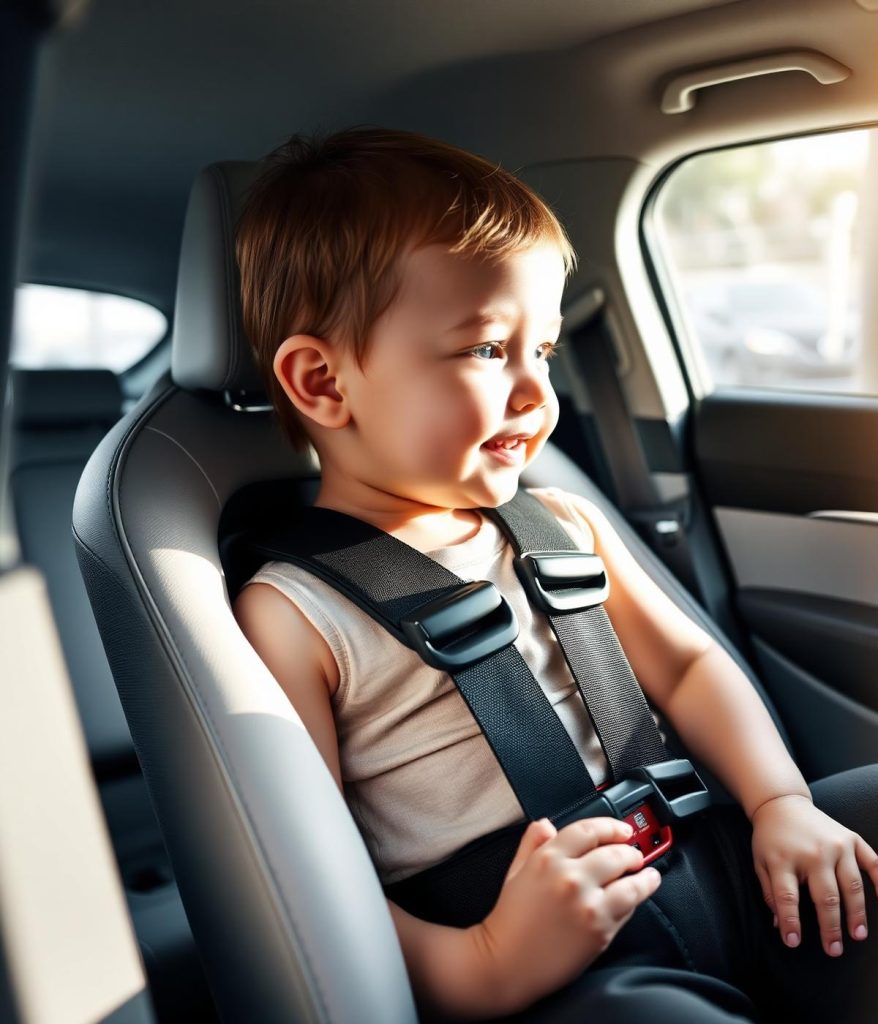
Newborn Car Safety: Your Pre-Drive Checklist
Newborn car safety starts before you leave home. A few simple checks can help you prepare for the journey without rushing once your baby is in the car.

01
Choose a Suitable Rear-Facing Car Seat
Use a car seat appropriate for your newborn’s height and weight. Follow the seat manufacturer’s instructions and your vehicle owner’s manual, as installation methods and limits vary by model.
02
Check the Harness and Seat Position
Make sure the harness is snug, the straps are flat and correctly positioned, and the chest clip sits at armpit level where applicable. Check that the seat is secured and reclined at the angle specified by the manufacturer.
03
Prepare the Car Before Your Baby Gets In
Before you set off, adjust your mirrors, navigation, and climate controls. Pack diapers, wipes, spare clothes, and feeding supplies where you can reach them, so you’re not scrambling on the road.
04
Plan Stops for Longer Journeys
Before you set off, pick a few good places to stop along the way. Your baby may need feeding, a diaper change, or a break from the car seat. Don’t assume a newborn can stay in the seat for a whole long journey without breaks.
05
Keep Your Attention on the Road
If your baby cries or needs help, pull over somewhere safe before you respond. If another adult is traveling with you, they can see the baby while you keep driving, as long as it’s safe to do so.
How a Family Location Sharing App Supports New Parents
A family location sharing app can help relatives stay informed when a parent or another trusted driver is traveling with a newborn. Rather than repeatedly calling to ask where someone is, family members can check the location of a connected phone when sharing is enabled.
That can be useful on everyday journeys, such as a drive home from the hospital, a pediatrician appointment, or a visit to relatives. It also gives the person waiting at home a simple way to check the journey’s progress without distracting the driver with unnecessary calls.
My Drive Guardian provides phone-based GPS location tracking rather than direct baby monitoring. Trusted contacts can view the location of a connected phone when location sharing is enabled. It is not a baby tracking app or a baby monitor, and it cannot tell you whether your child is comfortable or needs attention.
For new parents comparing a family location app or family GPS tracker, the important distinction is what the tool actually tracks. Phone-location visibility can support family communication, but it cannot tell you whether a baby is comfortable, whether a car seat is fitted correctly, or whether a driver is responding safely to the road.
What Does Family Location Tracking Look Like on a Real Drive?
Picture the ride home from the hospital. One parent drives while the other stays behind to finish paperwork, and the grandparents are waiting at home. With a family location app, they can see the location of the connected phone and get an idea of the journey’s progress. Nobody has to text the driver.
The same goes for a late-night trip to urgent care, or a solo drive while one parent stays home with an older sibling. With family location tracking, trusted contacts can see the connected phone’s location when sharing is turned on. The app does not independently track the vehicle.
What to Look for in a Family Safety App
Choosing a family safety app is easier when you start with what your household actually needs. For families who regularly share driving duties, useful features may include:
- Phone location sharing: Lets authorized contacts view the location of a connected phone when sharing is enabled.
- Sharing controls: Helps users understand who can access shared location information.
- Additional app features: Check which driving-related tools are supported by the app and your device.
- Device compatibility: Check whether the app supports the phones used by your family members.
A family location tracking tool should make communication easier, not encourage people to contact a driver repeatedly while the car is moving. Agree on how your family will use location sharing before a trip, and check the app’s settings so everyone understands what is shared.
My Drive Guardian provides phone-based GPS location tracking on iOS and Android. Android users can also access driving scores, driving behavior tracking, and the AI Safety Coach.
Family GPS Tracker vs. Basic Location Tracking
Family GPS tracking can help trusted contacts view the location of a connected phone during a journey. However, not every family location app offers the same features. Some focus on location sharing, while others include additional tools for families or drivers.
Feature | Basic Location tool | My Drive Guardian |
What it tracks | Depends on the tool | Location of a connected phone |
Family connection | Depends on sharing options | Invite family members or other users using a code, link or QR code |
Desktop access | Varies by product | Free desktop tracking map |
Driving-related features | Varies by product | Driving scores, driving behavior tracking and AI Safety Coach on Android |
Additional hardware | Depends on the product | No additional in-vehicle hardware required |
Is a Baby Tracking App the Same as a Family Safety App?
Not quite. A baby tracking app typically helps parents record routines such as feeding, sleep, and diaper changes. A family location-sharing app serves a different purpose by helping trusted contacts view the location of a connected phone.
Driving-related apps serve a different purpose from baby routine trackers. Some parents look for a baby safety app or a new parents app to record feeding, sleep and diaper changes. My Drive Guardian has a different role: it provides phone-based GPS location tracking for connected family members, rather than monitoring a baby’s routine or the vehicle itself.
Driving Safety Tips for New Parents
Sleep-deprived parents make mistakes they wouldn’t normally make. A few habits help protect against that.
Don't Let Baby-Related Distractions Affect Driving
If the baby needs attention, pull over first. Reaching into the back seat while driving takes both focus and a hand off the wheel.
Prepare Everything Before Starting the Trip
Bottles, diapers, a change of clothes, all packed and within reach before you start the car. Fewer mid-drive scrambles means fewer distractions.
Keep Your Phone Out of Reach
Put it in the glove box or a bag in the back. A crying baby is distracting enough without a notification adding to it.
Check the Car Seat Before Every Journey
Even a quick trip to the store deserves a quick check. Straps shift, buckles loosen, and a five-second glance catches problems early.
Plan Longer Trips Around the Baby's Needs
Time longer drives around feeding and nap schedules when you can. A well-timed trip means fewer stops and a calmer baby.
Make Sure Emergency Contacts Are Accessible
Save them where you can reach them fast, not buried three menus deep on your phone. Some parents look for a new parents app just to keep this kind of information in one place, but a simple saved contact list works just as well.
How My Drive Guardian Supports Family Location Sharing
My Drive Guardian provides phone-based GPS location tracking on iOS and Android, allowing trusted users to view the locations of connected devices. Users can also access a free desktop tracking map and invite others through a code, link, or QR code.
Android users have access to additional driving-related features, including driving scores, driving behavior tracking, and the AI Safety Coach. These features do not require additional hardware to be installed in a vehicle.
My Drive Guardian does not directly track a baby, monitor a car seat, detect alcohol, or prevent a vehicle from starting.
My Drive Guardian Makes Every Family Journey Feel More Prepared
The drive home from the hospital, a first pediatrician visit, or a trip to see relatives can feel different when your newborn is traveling with you. A little preparation helps make those journeys more manageable.
My Drive Guardian gives families phone-based GPS location tracking to help trusted contacts stay informed about a connected family member’s location. Combined with a properly installed car seat, planned breaks and a driver who can concentrate on the road, this can form part of a more considered approach to family travel.
FAQ
Frequently Asked Questions About Family Driving Safety
What should I know about driving with a newborn?
Use a properly installed rear-facing car seat, keep the baby securely fastened, limit distractions, and plan breaks on longer trips for feeding and diaper changes.
What is a family location sharing app?
It’s a mobile app that lets people you trust view the location of a connected phone when sharing is enabled. It can help them understand where someone is during a journey, depending on the app’s location settings and connection.
Does My Drive Guardian track a baby’s location?
No. My Drive Guardian provides phone-based GPS location tracking for connected users. It does not directly track a baby, monitor a child or independently locate a vehicle if the connected phone is left behind.
How to drive safely with a newborn?
Make sure the seat is rear-facing and installed correctly, secure your baby before the car moves, set up music and mirrors beforehand, drive calmly, and pull over if your baby needs attention. If you’re exhausted, let someone else drive.
What are the newborn car seat safety guidelines parents should follow?
Newborn car seat safety guidelines say to use a rear-facing seat in the back, with harness straps at or below the shoulders, snug enough that you can’t pinch the webbing, and the chest clip at armpit level. Follow the seat’s manual, and replace the seat after a serious crash.
How to reduce distractions when driving with a baby?
Feed, change, and settle your baby before you leave. Set the route and music beforehand, keep your phone out of reach, and pull over somewhere safe if you need to attend to the baby.
How long can a newborn stay in a car seat?
There is no single time limit that applies to every baby and journey. For longer trips, plan regular breaks so your baby can be taken out of the car seat for feeding, changing and a change of position. The American Academy of Pediatrics suggests stopping every two to three hours during daytime travel. Ask your pediatrician for advice if your baby was premature or has health concerns.
How to install a car seat for a newborn?
Place it rear-facing in the back seat, set the recline angle the seat calls for, and secure it with either the seat belt or the LATCH system as the manual directs. At the belt path, the installed seat should not move more than one inch from side to side or front to back when tested. Always follow the car-seat and vehicle manuals.
What to pack when traveling with a newborn by car?
Diapers, wipes, a change of clothes, burp cloths, bottles or formula, a pacifier, blankets, and a sunshade. Add a charged phone, saved emergency contacts, and the car seat manual, and keep essentials within reach.
How to keep a newborn comfortable during car rides?
Dress your baby in light layers, because thick coats can leave harness slack. Time drives around feeds and naps, keep the car at a comfortable temperature, use a sunshade, and stop regularly.
Let’s Prepare for Safer Journeys With Your Newborn
Planning your newborn’s next car ride? Explore practical driving safety tips and discover how My Drive Guardian’s family location sharing app can help trusted contacts stay informed about connected family members.