Your phone can help make a journey easier, but it can also become one of the biggest distractions behind the wheel. The best apps for safe driving are designed to reduce that problem, support better habits, and give drivers and families useful information without demanding attention on the road.
The need for that balance is clear. The National Highway Traffic Safety Administration says 315,167 individuals were killed in collisions involving distracted drivers in 2024. More than 315,000 were injured. Technology can’t replace a vigilant operator, but when correctly designed, it may make safer judgments easier to make.”
Key Takeaways
- My Drive Guardian integrates car protection, safety alerts, location information, and family visibility into a single linked solution.
- Life360 is focused on family location sharing, driving analytics, crash features, and connected safety solutions.
- Dedicated distraction-prevention solutions can cut down on notifications and limit unnecessary phone engagement while driving.
- Driver awareness applications can help families review driving patterns after a journey rather than in the middle of it.
- Navigation apps are useful if the routes are mapped out before the vehicle starts moving and are utilized hands-free.
- There are safety features available with vehicle-connected technology that are not available with a regular smartphone app.
- You will have to decide which is more important to you: distraction reduction, navigation, awareness, family visibility, or vehicle protection.
What Makes an App Genuinely Useful for Safe Driving?
Not every driving app is worth trusting, and a longer feature list can actually make an app more distracting, not safer
A useful safety-focused app should solve a specific problem while keeping the driver’s attention where it belongs: on the road.
Depending on your needs, useful functions may include:
- Limiting distracting notifications
- Supporting hands-free navigation
- Providing trip information
- Monitoring selected driving patterns
- Sharing vehicle information with authorized family members
- Sending important safety notifications
- Connecting with vehicle-level safety technology
Think about the problem first. If your biggest concern is phone distraction, distracted driving prevention apps and built-in driving controls may help limit unnecessary phone activity. If you are a parent of a new driver, you may be more interested in family visibility. If impaired driving is a concern, vehicle-connected technology may offer capabilities that a standard phone app cannot.
The right choice is therefore not necessarily the app with the longest feature list. It is the technology that fits naturally into the way you already drive.
Which Are the Best Apps for Safe Driving?
There are no single apps for safe driving that do everything, so the best option depends on the safety problem you want to address.
For a family comparing safe driving apps, the most useful categories include:
| App or technology | Best suited for | Main safety focus |
| My Drive Guardian | Families and vehicle owners | Vehicle protection, alcohol detection, alerts and family visibility |
| Life360 | Families and young drivers | Location sharing, driving insights and safety alerts |
| Bouncie | Families and connected-vehicle users | Vehicle location, trip history, driving insights and alerts |
| Apple CarPlay | iPhone users | In-car navigation, communication and hands-free access |
| Android Auto | Android users | In-car navigation, communication and hands-free access |
The key difference is that these tools solve different problems. A navigation system isn’t a substitute for vehicle protection, while a family-location app doesn’t necessarily address impaired driving.
That makes the right comparison less about downloading the most popular app and more about identifying the type of protection or awareness your household actually needs.
How Do Apps for Safe Driving Actually Help?
The best safety technology usually works by addressing a specific weak point in the driving experience.
Distraction tools reduce interruptions.
Navigation systems reduce the need to handle a phone for directions.
Driver awareness apps provide information that can be reviewed after a journey.
Family safety platforms can keep authorized contacts informed.
Vehicle-connected systems can provide protection or information at the vehicle level.
That means technology can support several stages of a journey:
Before driving: prepare the route and settings.
During driving: minimize distractions and let safety features work in the background.
After driving: check what the app recorded and pick out the habits worth changing.
The common thread is simple: technology should support the driver rather than compete for the driver’s attention.
How Can You Choose the Right Safe Driving App for Your Family?
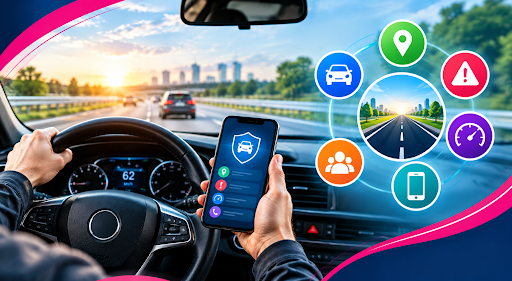
Start with one question: What do you want the technology to help you prevent, manage, or understand? Then consider:
- Do you mainly want fewer phone distractions?
- Do you need navigation support?
- Are you looking for family location visibility?
- Do you want information about driving behavior?
- Are you concerned about impaired driving?
- Would vehicle-level protection be more useful than another phone feature?
For some households, a simple distraction-control setting may be enough. Others may want a broader connected system.
If the goal is family visibility plus vehicle protection, My Drive Guardian takes a different approach from phone-only safety apps. Its combination of alcohol detection, ignition protection, safety notifications, location information, and trip history gives families another option when they want vehicle protection alongside connected driving information.
What Should You Remember Before Downloading a Driving Safety App?
An app can support safer driving, but it shouldn’t become another source of distraction. Before choosing one, ask whether it:
- Solves a genuine safety concern
- Can be configured before driving
- Minimizes interaction while the vehicle is moving
- Gives useful information rather than unnecessary notifications
- Clearly explains what it can and cannot do
- Fits the needs of your household
- Complements responsible driving habits
The strongest setup may not be a single app at all. It could be a combination of hands-free navigation, distraction controls, family awareness, and vehicle-level safety technology.
Ready to Choose the Right App for Safer Driving?
The best apps for safe driving aren’t necessarily the ones with the most features. They’re the ones that address a real driving concern without asking the driver to divide their attention.
For simple phone-related distractions, driving modes and hands-free systems can help. For families wanting greater visibility, driver awareness and location tools can add useful information. And for households looking for protection that goes beyond the phone, connected vehicle technology offers another option.
My Drive Guardian is designed for that broader family-safety role, combining vehicle protection with connected alerts and visibility.
If you’re looking for technology that connects driver awareness, vehicle protection, and family visibility, explore what My Drive Guardian can offer and see whether it fits your family’s driving needs.
FAQs
Frequently Asked Questions
The right pick comes down to what your family actually needs. Family safety platforms show where everyone is and how they're driving; distraction-control tools keep the phone from getting in the way; and a vehicle-connected system like My Drive Guardian adds protection and visibility on top of that.
Some safe driving apps provide information about driving behavior, such as speed, phone use, hard braking, or acceleration. Families should review what each platform actually measures and agree with young drivers about how that information will be used.
Navigation apps and driver safety apps serve different purposes. Navigation apps are built to get you where you're going, while safety apps for drivers tend to focus on reducing distractions, tracking driving habits, and sending alerts to your family.
No, not entirely. Apps for safe driving may remove some of the distractions on phones, but they can’t eliminate all the distractions a driver confronts. You still need to be paying attention to the road.
Phone apps generally use smartphone features to provide information or controls. Vehicle-connected driving safety technology can work with the vehicle itself, potentially enabling features such as ignition protection, alcohol detection, or vehicle-related alerts.