The best driving app for a beginner is the one that keeps your eyes on the road, not the one with the most features. This guide shows you how to choose it.
Did you know? The CDC reports that drivers ages 16 to 19 have a fatal crash rate almost three times as high as drivers 20 and older, per mile driven. That’s why picking the best driving apps for beginners is worth a few minutes of your time.
A good app can guide you through unfamiliar streets, quiet your notifications, and help you learn from every trip. A bad one gives you one more screen to stare at. The difference comes down to what you need most right now.
Maybe you’re a teen with a new permit. Maybe you’re an adult learning later in life. Or maybe you’re a parent helping someone get started. This guide works for all three.
Key Takeaways
- The best driving apps for beginners depend on whether you need navigation, test preparation, or additional safety support.
- Google Maps, Waze, and Apple Maps can help new drivers get ready for routes they don’t know.
- Learning apps let you brush up on road signs, traffic rules, and local licensing requirements before you get behind the wheel.
- Safety apps differ a lot. Look at what each one actually does, and don’t trust big promises on the label.
- Parents can look at family safety tools that share trip details or send alerts. What you get depends on the product.
- Sort things out before you set off. Put your route in, mute notifications you don’t need, and check the journey first so nothing distracts you on the road.
- Check the small print before you download. Look at pricing, privacy settings, permissions, and whether it works with your phone.
- Apps can help you drive well, but they can’t do the job for you. Proper lessons, real experience, and keeping your eyes on the road still matter most.
What Should Beginners Look for in a Driving App?
Before you download anything, ask yourself where you need the most help. A new driver who gets lost needs different tools than a parent who wants to know how a teen’s trip went.
Look for apps that offer:
- Clear navigation: Spoken directions and lane guidance make unfamiliar routes easier.
- Simple controls: A clean screen lets you set up a trip without digging through menus.
- Useful alerts: Traffic and road-closure updates help you plan around changes.
- Relevant safety features: Depending on your needs, that could mean driving reminders, vehicle safety information, or family notifications.
- Clear privacy settings: You should see what location or driving data the app collects, who can access it, and how to control sharing.
One rule applies to every app: set it up before you start the car. Technology should help you get ready for a trip. It should never give you another reason to look at your phone while driving.
Types of Driving Apps for Beginners
Not all driving app for beginners do the same job. Knowing the difference helps you choose the right mix for your routine.
| App type | What it helps with | Best for |
| Navigation apps | Routes, directions, and traffic updates | Drivers learning new routes |
| Driving education apps | Road rules, practice questions, and test prep | Learner drivers getting ready for the test |
| Driver safety apps | Reminders, trip information, and safety tools | Drivers building responsible habits |
| Family safety tools | Location sharing, trip information, and alerts | Parents of new drivers |
You don’t need all four. Choose the one that fits your major concern. Add another only if it gives you something useful.
4 Types of Driving Apps Worth Considering
1. Family Safety Tools for New Drivers
Parents often feel the same thing during a teen’s first solo drives. They want to hear that things are going well without having to constantly call or text.
Family safety tools can offer location sharing, trip information, or alerts, depending on the product. Before you turn anything on, agree as a family on what gets shared and who can see it.
My Drive Guardian takes a different approach. It’s connected to the vehicle itself. Its features include in-vehicle alcohol detection, ignition protection, live GPS location, trip history, and family notifications. These tools focus on specific driving risks and family awareness. They aren’t a navigation app, and they don’t replace focus on the road.
For a new driver, this kind of safe driving technology can be one part of a bigger plan. Clear rules, supervised practice, and open conversations matter just as much.
2. Driving Education Apps for Building Confidence
Navigation tells you where to go. Education tools teach you the rules and decisions that keep you safe on the way there.
Depending on your state, useful resources can include practice tests, road-sign quizzes, right-of-way explanations, and details about graduated driver licensing.
The National Highway Traffic Safety Administration (NHTSA) also has guidance for teen drivers and their parents. It explains the common risks new drivers face and how families can support them.
Study with these tools at home, never while driving. State-specific practice questions are available. An app can help you prepare, but it can’t replace the necessary driving education or supervised practice.
3. Driver Safety Apps for Developing Better Habits
Once you can find your way, think about the habits you want to keep. Some driver safety apps offer reminders, trip information, or tools that reduce certain distractions.
Before you choose one, find out exactly what it does:
- Does it send reminders?
- Does it show trip information?
- Does it limit certain phone functions?
- Does it only record your location?
Those are very different features. A “safety app” label doesn’t guarantee any of them.
Also check device compatibility, permissions, costs, and data sharing. An app may work well on one phone and offer less on another.
Most importantly, no app makes distracted driving safe. If you need new directions or must answer something urgent, pull over somewhere safe and legal first.
4. Navigation Apps for Drivers Who Are Still Learning Routes
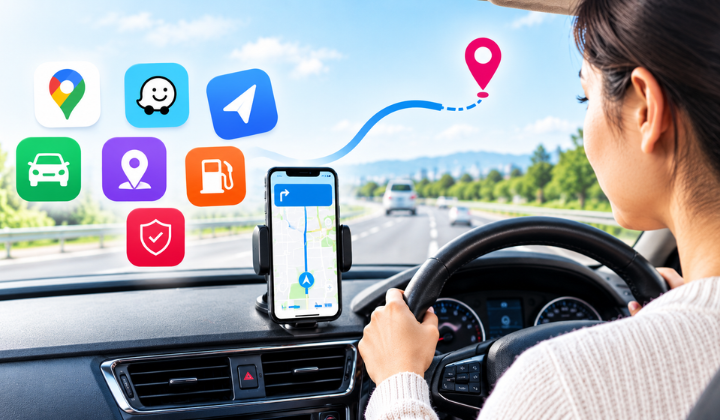
For most new drivers, navigation apps for drivers are the best place to start. Knowing your next turn ahead of time makes unfamiliar roads feel less stressful. That matters most on trips to school, work, or a place you’ve never been.
Three popular options are worth a look.
Google Maps gives you turn-by-turn directions, traffic updates, and route changes. You can also download offline maps for select areas, which come in handy when your signal is weak. Keep in mind that live traffic and alternate routes may not work without a connection. Read Google’s offline navigation guide.
Waze uses traffic conditions and reports from other drivers. Its alerts can warn you about accidents, roadwork, and delays. Treat those alerts as extra information. They never replace watching the road.
Apple Maps comes built into iPhones. In many areas, it offers spoken directions, traffic information, and lane guidance that prepares you for turns. Explore Apple Maps.
Which one should you pick? Choose the one that makes the most sense to you, and test it on the routes you drive most. You don’t need three navigation apps running at once.
How to Choose the Best Driving Apps for Your Needs
The easiest way to decide is to match the app to the problem you want to solve.
- If unfamiliar roads make you nervous: Begin with a navigation app that provides spoken directions. Check the route and leave extra time before you depart.
- If you’re preparing for a driving test: Choose a learning resource that matches your state’s rules, and practice away from the road.
- If phone notifications distract you: Turn on your phone’s Driving Focus or Do Not Disturb. These cut down on interruptions, but you still need to keep your eyes on the road.
- If your family wants trip information: Look for a family or vehicle safety tool, and go over its features, permissions, and privacy settings together.
- If you want to track vehicle recalls: Use NHTSA’s recall tools to check your car for open safety recalls.
Don’t pick an app just because it has the longest feature list. A simple tool you understand beats one that buries you in alerts.
Choose the Right Tools for a Safer Driving Journey
Choosing the best driving apps for beginners isn’t about finding one tool that does everything. It’s about knowing what you need help with, picking reliable tools, and using them in a way that keeps your focus on the road.
A navigation app helps you prepare for a new route. An education resource helps you review the rules. Family or vehicle safety technology adds information about specific driving risks.
For families who want a more proactive approach, My Drive Guardian helps you stay informed about what matters on every drive. Every new driver deserves a confident first year. Every parent deserves to sleep well while it happens.
Don’t wait for a close call to take safety seriously. Book a demo with My Drive Guardian and see how vehicle-connected safety can protect every drive.
Frequently Asked Questions
Some navigation and education beginner driver apps are free. Others charge for subscriptions or extra features. Check the current price, in-app purchases, and limits before you choose.
Navigation apps help you plan routes and follow directions. Driver safety apps may add reminders, trip information, or safety alerts. Their features vary, so read what each app really offers.
They can help. Education apps let you review road rules and practice for your test. Navigation apps help you plan routes. But neither replaces supervised practice and real-world experience.
They are used by many parents to communicate about trips and establish expectations. Talk about privacy, permissions, and what the information will be used for before you pick one. Technology isn’t a substitute for trust, but it may enable trust.
No. Safe driving technology can support certain tasks and add helpful information. It can’t replace driver education, supervised practice, good decisions, or attention to the road.