Help fleet owners and operations managers understand what a GPS tracking app does, how it improves safety, and how to pick one that prevents incidents instead of only recording them.
Most fleet managers know the feeling. It is 8 p.m., every vehicle is out or on its way back, and the only way to know how the day went is to wait for someone to call.
A gps tracking application ends that waiting. It shows where each vehicle is, how each trip is going, and when something looks off.
The stakes are real. The National Highway Traffic Safety Administration (NHTSA) reported that 13,524 people died in alcohol-impaired driving crashes in 2022, roughly 31% of all US traffic deaths. The Bureau of Labor Statistics also lists transportation incidents as a leading cause of fatal workplace injuries. Business vehicles share the same roads.
Key Takeaways
- A GPS tracking app shows live vehicle location, trip history, and alerts on your phone or computer.
- It improves safety by showing you risky trips early, so you can act before a phone call forces you to.
- Location alone cannot stop an unsafe start. Pair tracking with prevention tools.
- Look for clear alerts, trip history, driver status, easy mobile access, and honest pricing.
- Tell drivers what is tracked and why. Fair programs get better results.
- My Drive Guardian combines live GPS location with pre-ignition alcohol detection and ignition protection.
What Is a GPS Tracking Application and How Does It Work?
A GPS tracking application is software that shows the live location and past trips of your vehicles on a map. It gets its data from a GPS device in the vehicle or from the driver’s phone.
Most people also call it a vehicle tracking application or fleet telematics. The process is simple:
- A GPS device or phone picks up satellite signals and works out the vehicle’s position.
- It sends that position over a mobile network every few seconds or minutes.
- The software plots the position on a map and stores it as trip history.
- Rules you set, such as a vehicle starting after hours, trigger an alert.
Fact: GPS shows location, speed, and time. It does not show what the driver is doing or what condition they are in. Keep that in mind, because it matters later.
How Does a GPS Tracking Application Help Businesses Monitor Vehicles?
It gives you one live view of every vehicle, so you stop guessing and stop calling drivers to ask where they are. That saves time and gives you proof when a customer or insurer asks questions.
Here is what that looks like day to day:
- Live location. See every vehicle on one map, including ones parked longer than planned.
- Trip history. Check where a vehicle went last Tuesday without asking anyone.
- Start and stop times. Confirm when a vehicle left the yard and when it came back.
- Alerts. Get a message when something unusual happens, instead of reading every log.
- Customer updates. Give accurate arrival times because you know the real position.
Example: A dispatcher gets a call from a customer asking where the technician is. Without tracking, she calls the driver, who is driving. With tracking, she opens the app, sees the van ten minutes away, and answers in seconds. The driver never touches his phone.
This is the everyday value of commercial vehicle tracking. It removes the small interruptions that add up across a fleet.
How Does a GPS Tracking Application Improve Fleet Safety?
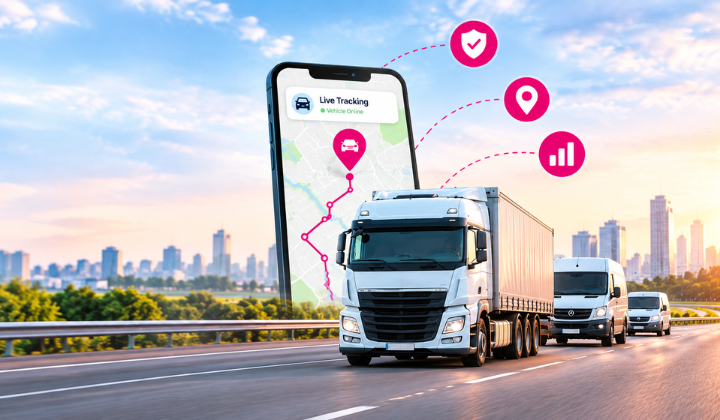
It improves safety by giving you early information. You see risky patterns before they become accidents, and you can show proof of the steps you took.
Good fleet safety monitoring usually helps in these ways:
- Fewer surprise calls. You know where trips stand without distracting drivers.
- Faster response. If a vehicle stops somewhere unexpected, you know within minutes.
- Better records. Trip history helps you review an incident fairly and with facts.
- Accountability. Drivers behave more carefully when they know trips are logged.
- Better coaching. Patterns in trip data give you something specific to talk about.
Our view: The biggest safety gain is not the map. It is the conversation the data makes possible. A manager who can say “this route ran long three times this week” can fix a problem. A manager guessing cannot.
For a deeper look at how this fits into a full program, read our guide on fleet driver safety.
Is GPS Tracking Enough for Fleet Safety on Its Own?
No. GPS tracking tells you where a vehicle is, but it cannot tell you whether the driver should have started the trip. Safety also depends on what happens before the vehicle moves.
Many businesses buy fleet management software for routes, fuel, and maintenance, and assume safety comes with it. Often it does not. The table below shows the difference.
| What you need | Basic GPS app | Typical fleet management software | My Drive Guardian |
| Live vehicle location | Yes | Yes | Yes |
| Trip history | Yes | Yes | Yes |
| Route and fuel reports | Rarely | Yes | Not the focus |
| Alcohol check before ignition | No | No | Yes |
| Ignition protection | No | No | Yes |
| Driver status and safety alerts | Limited | Varies | Yes |
| Prevents risk before the trip | No | No | Yes |
Recommendation: Choose tools by the problem you want to solve. If routes and fuel are your main cost, standard fleet software fits. If impaired or unsafe starts worry you, you need a system that acts before the vehicle moves.
That is the gap My Drive Guardian was built for. It checks for alcohol before ignition and can stop the vehicle from starting if the reading goes above the configured threshold. Live GPS location, driver status, and alerts sit in the same app.
What Should You Look for When Buying a GPS Tracking Application?
Look for a tool your team will actually use every day. The best feature list is worthless if drivers and managers ignore the app.
Use this checklist when comparing options:
- Live location you can trust. Updates should be frequent and the map should load fast.
- Useful alerts. Too many alerts get ignored. Ask how you control them.
- Trip history and reports. You should be able to look back without exporting spreadsheets.
- Driver status visibility. You want to know how a trip is going without calling.
- Mobile access. Managers are rarely at a desk, so the phone app must be solid.
- Safety features beyond location. Ask what the product prevents, not just what it records.
- Easy setup. Ask how long installation takes per vehicle and who does it.
- Support. Find out who answers when something breaks on a Monday morning.
Fact: Many tools look identical on a demo screen. The real difference shows up in alerts, support, and what happens before a trip begins.
If you manage a mixed fleet or company cars, our page on employee driving monitoring explains how monitoring fits with everyday work.
How Much Does a GPS Tracking Application Cost?
Cost depends on fleet size, hardware, and features. Most providers charge per vehicle, either monthly or yearly, and some add a separate fee for devices and installation.
Ask about these items before you compare quotes:
- Hardware. Is the device included, rented, or bought outright?
- Installation. Does your team do it, or does the provider?
- Monthly or yearly fees per vehicle.
- Contract length and what it costs to leave early.
- Extras. Reports, extra users, or support plans sometimes cost more.
Recommendation: Compare total cost over a year, not the headline price per vehicle. Then weigh it against what one avoidable incident costs you in repairs, downtime, and higher premiums.
For exact pricing on My Drive Guardian, talk to our team and tell us your fleet size.
How Do You Roll Out Tracking Without Upsetting Drivers?
Tell drivers what you track and why, before you install anything. Drivers accept tracking much more easily when they see it as protection, not suspicion.
Follow these steps:
- Explain the purpose. Safety, faster help in an emergency, and fair trip records.
- Say what is and is not tracked. Be specific.
- Put it in writing. Update your driver policy and have everyone sign it.
- Start with a small group. Fix problems before the full rollout.
- Use data to coach, not punish. One bad trip is a conversation, not a write-up.
- Review the results together after the first month.
Fact: Rules about tracking company vehicles and informing employees vary by state and country. Check local requirements or ask a lawyer before you start. This article is general information, not legal advice.
Our guide on a commercial driver phone policy is a good companion to this rollout.
Ready to See Where Your Fleet Stands?
If you want live visibility and protection before the vehicle even starts, see My Drive Guardian in action. Book a short demo and we will walk you through the app using your own fleet setup.
Frequently Asked Questions
Some apps use the driver’s phone, and others need a device in the vehicle. Phone-based tracking is easier to start, but a device is usually more reliable because it does not depend on the driver’s battery or settings.
Usually yes, but the rules differ by location. Tell your drivers, put the policy in writing, and check your local laws first.
It may help, but it depends on your insurer. Showing that you run a proactive safety program with verifiable records gives you a stronger case when you talk about premiums. Ask your provider what they accept.
A GPS tracker shows where vehicles are. Fleet management software adds things like maintenance, fuel, routing, and reporting. Many businesses start with tracking and add more later.
GPS alone cannot, because it only shows location. My Drive Guardian adds in-vehicle alcohol detection before ignition, and it can prevent the vehicle from starting if the reading is above the configured limit.